
Work arrives through email or your task system
Harness turns the incoming request into one traceable task and keeps the original message attached.
EmailTask system

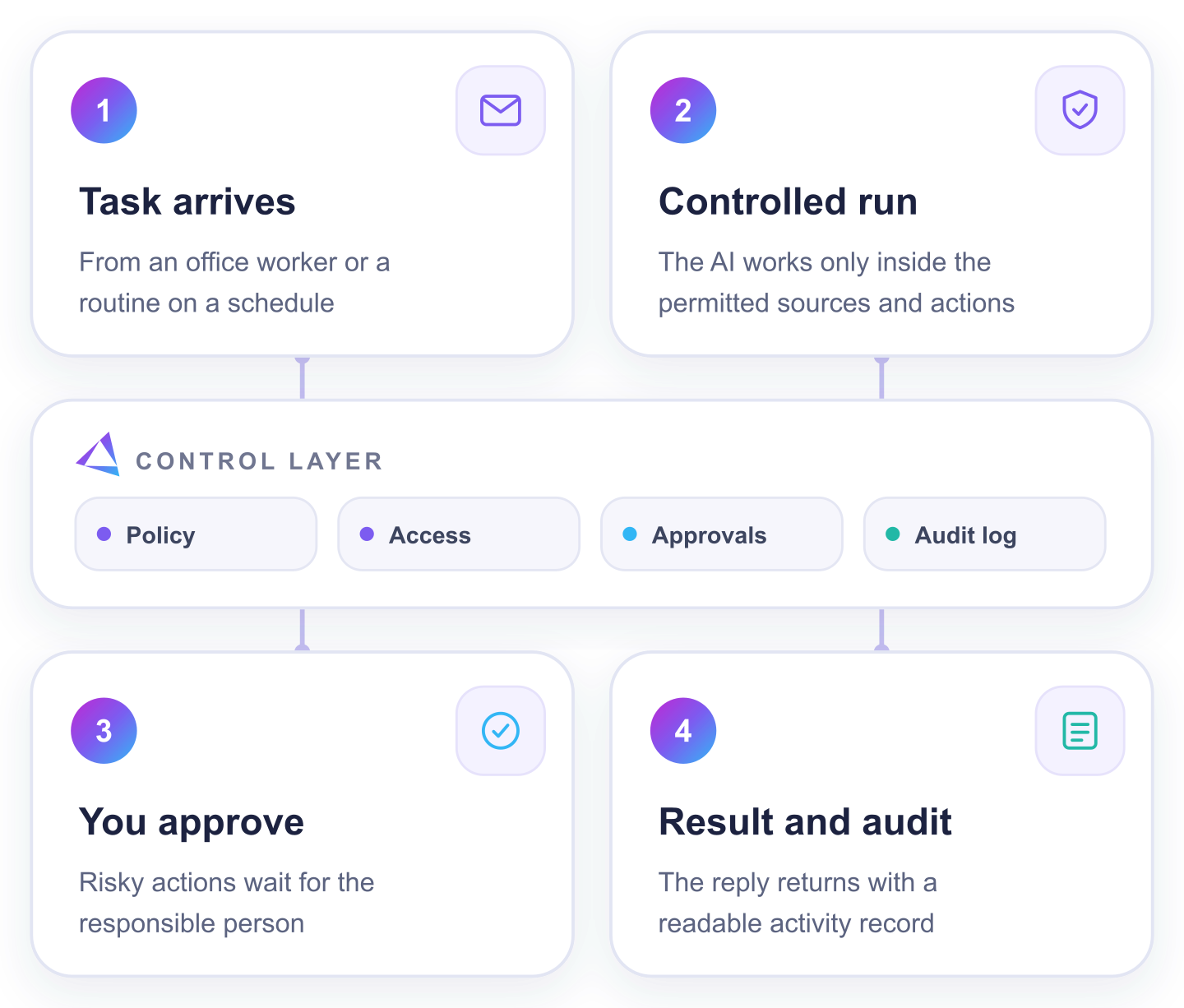
Harness is the control layer between your team and AI.
Your team assigns the result. Harness limits the task, opens only the required tools and stops risky actions for approval. The AI never gets unrestricted control of your systems.
✓ Task-specific access✓ Human approval gates✓ Complete audit record
How it works
Switch between a task sent by a person and a routine started automatically. Harness controls both from start to result.
Harness turns the incoming request into one traceable task and keeps the original message attached.
Harness identifies the expected result, permitted sources and delivery channel, then selects the matching skill and checks that the task is clear.
Harness opens only the sources and actions this task needs. The AI works inside that boundary while every source and action is recorded.
If data conflicts, a source is missing or the scope would change, Harness stops at the current step.
Harness checks the output. Sending, changing records, deleting or signing waits for the responsible person when approval is required.
The report, reply, update or exception list returns to the named recipient with a readable activity record.
Runs without a new message
The trigger, sources, skill, approval points and recipients are already defined. Harness repeats the procedure and sends exceptions to its owner.
Harness creates a traceable run at the defined time or when the connected system signals that work is ready.
The expected result, skill, permitted sources, stopping conditions, approval points and recipients are already set.
Harness reads the named files, mailbox, database or API and records which sources supplied the run.
Normal steps continue automatically. Missing or conflicting data pauses the run and sends a precise question to the routine owner.
Harness checks the expected output. Any sensitive action still waits for the responsible person.
The approved result goes to the configured recipients together with a readable activity and exception record.
The AI provides reasoning. Harness owns the task, permissions, approval gates and audit trail.
Time and cost estimate
Choose one repeated task. Enter who does it, how long it takes and what an hour of their work costs. We show the value of the time Harness could free for other work — not cash paid to you.
Estimate only, not a guarantee. AI-provider usage is billed separately by the provider you connect. Prices exclude VAT.
See pricing and what is includedA good first workflow
If you can answer yes to these three points, the process is a strong candidate for Harness.
The same inbox sorting, document check, CRM update or report takes staff time every week.
You can name the emails, files or systems it may read — and the rules it should apply.
The expected result is clear, and someone can approve risky actions or resolve uncertain cases.
Start small
Choose a task with known sources, a clear result and one approval point. The setup guide takes it from definition to the first controlled run.
Runs on a computer you control · works with your chosen AI provider · risky actions wait for you.